



Last updated: October 10, 2026
Key Takeaways
- Airtable works best when teams need flexible calendars and structured fields.
- Notion suits small teams that plan in docs and databases.
- ClickUp is a budget-friendly all-in-one option for docs, tasks, and views.
Some links here are partner links. It costs you nothing and may pay us a commission.
Quick Answer: Need the best software tools for content planning? Airtable is the strongest all-around planning hub for teams that want calendars, briefs, and status tracking in one system; Notion fits lighter, doc-first workflows; Asana makes the most sense when assignments and deadlines are the center of the job. We built this shortlist from product documentation, plan pages, export help pages, and independent reviews that look at day-to-day workflow, not feature lists.
Below, five tools go head to head — from flexible databases to task-led project software.
First published 10 October 2026.
| Tool | Best for | Free tier? | Starts at | Where to start |
|---|---|---|---|---|
| Airtable | Content calendars with fields, views, and light workflow | Yes | Entry paid plan varies by billing cycle; check current plans | Start with the free tier |
| Notion | Small teams that want notes, briefs, and planning in one workspace | Yes | Starting paid option depends on billing cycle; check current plans | Start with the free tier |
| Asana | Teams that need assignments, due dates, and approval handoffs | Yes | Starting paid option depends on billing cycle; check current plans | Start with the free tier |
| CoSchedule | Marketing calendars tied to publishing and campaign timing | Limited trial or free access may vary | Starting paid option depends on billing cycle; check current plans | See current plans |
| ClickUp | Teams that want planning, docs, and task management together | Yes | Starting paid option depends on billing cycle; check current plans | Start with the free tier |
How we compared

We compared the tools in a way that matches real editorial work, not demo work. So we read current plan pages, export and integration docs, plus third-party reviews, then judged each tool on a month-long content workflow: editorial calendar, brief template, draft status, assignment tracking, and handoff to publishing. A toy project can hide friction that shows up when a team is juggling 20 to 50 live pieces.
Content planning gets messy fast. That’s why we checked the boring details that matter after week 3: how many custom fields a calendar view can carry, whether a task can hold a source list and an outline in the same record, what happens when a freelancer leaves, and whether export is a real export or just a prettier screenshot. We also checked the obvious integrations that most content teams need, such as Google Drive, Slack, Zapier, and CMS-related connectors where the vendor documents them. A tool that only shines in a slide deck did not make this guide.
For context, Airtable documents bases, views, and records in its help center, Notion explains databases and templates in its product docs, and Asana describes projects, tasks, and custom fields as core parts of the platform. Those differences shape how each tool handles content planning in practice.
Best overall: Airtable
Airtable is our strongest overall pick for teams that need a flexible editorial calendar, because it turns a spreadsheet into a database without forcing one rigid way to work — unless your team wants a simple to-do list and nothing else.
A calendar is rarely just dates. Usually, you need fields for owner, stage, channel, target keyword, source links, asset status, and publish date in one place. Airtable handles that shape well, and its grid, kanban, and calendar views let the same content list serve editors, writers, and social leads without three separate systems. Airtable’s own plan pages and help docs make clear that the product is built around bases, views, and records rather than a fixed editorial template. Clean on paper; busy in real life.
Pros
- It stores briefs, due dates, and status in one record, so a content manager can stop copying the same item between a doc, a sheet, and a project board.
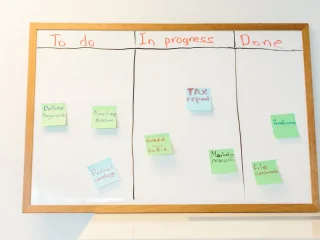
- Multiple views sit on the same data, which means an editor can look at the month in calendar form while a writer sees a kanban board.
- Its structure is flexible enough for teams that want a content inventory, not just a publication queue.
Cons
- The setup can become overbuilt, which means a solo creator may spend more time designing the system than using it.
- The free tier is useful for learning the workflow, but upgrades are often driven by record limits, automation needs, or team scale rather than by one single feature.
- Export exists, but if you build around complex linked records and automations, leaving means rebuilding parts of the process in the next tool.
Pricing reality: At the time of writing, Airtable offers a free tier and paid plans that change by billing cycle; the entry plan is for teams that need more records, more collaboration, and more automation than the free tier allows. For a team of five, the per-seat math usually works only if each person actively edits or approves content every week; if two people just review, they may not need paid seats on every account.
The lock-in question: Airtable supports export, but the hard part is not the raw data. It is the structure: linked records, formula fields, and automations do not always carry cleanly into another app, so a move out often means rebuilding workflows, not just downloading a file.
Buy this if you run a calendar with multiple content types, need custom fields, and expect the workflow to change over time. Skip it if you want a plain checklist with no database logic. Start the free trial.
We also considered Google Sheets; it lost to Airtable on views and structured workflow, and it costs the same class of money only after you add the separate tools a real editorial process needs. Google’s own workspace docs show why teams often pair Sheets with other apps rather than treat it as a full planning hub.
Best for small teams: Notion

Notion is a strong pick for small teams that want planning, briefs, and notes in one place, because it keeps the content brief next to the calendar entry — unless your publishing process depends on strict task dependencies and heavy reporting.
Because the brief sits beside the calendar, Notion fits content planning when the team lives in docs first. A writer can keep a brief, outline, source notes, and headline options in one page, while a database view tracks stage and due date. That combination is why it works well for editorial teams with a lot of context and not much bureaucracy. Its product docs show databases, templates, and page-level collaboration as core parts of the platform. A tidy notebook, basically — with database muscle.
Pros
- It combines longform notes with database views, so the brief and the status tracker can live in the same workspace.
- Templates make repeated content types easier to standardize, which helps if you publish similar posts every week.
- The free tier is often enough for a small editorial calendar, especially if you are not trying to run deep automation or advanced permissioning.
Cons
- The free tier can feel generous until a team needs more granular permissions, because content planning often needs selective access as soon as freelancers join.
- The database layer is less opinionated than a dedicated project manager, which means deadlines and handoffs can drift if nobody maintains the structure.
- Export works, but the content model is page-based, so a move to a task-first tool can flatten some of the structure you built around briefs and subpages.
Pricing reality: At the time of writing, Notion has a free tier and paid plans billed monthly or yearly; the upgrade pressure usually comes from team collaboration, permissions, and workspace scale rather than from basic planning. For a team of five, the cost is easiest to justify if every person writes or edits inside the same workspace, because paid seats matter most when the whole workflow sits in Notion.
The lock-in question: Notion allows export, but the catch is that page structure and linked databases do not always map neatly into a different planning system. If you leave, the documents are recoverable; the living editorial system is less portable.
Buy this if your content process begins with a brief and you want the brief close to the calendar. Skip it if you need strong task dependencies, workload views, or a project manager that assigns work by default. Start the free trial.
We also considered Google Docs plus Sheets; it lost to Notion on keeping context in one place, and it costs the same class of money once you add the extra tools needed to hold everything together. Google’s docs and Sheets guidance makes that split clear in practice.
Best for task-heavy editorial teams: Asana
Asana is the best choice when content planning is really assignment tracking, because it is built around tasks, due dates, and handoffs — unless your team wants the brief itself to be the center of the system.
That distinction matters more than most roundup articles admit. When the bottleneck is “who owns this draft, when is it due, and what blocks approval,” Asana is easier to keep clean than a do-everything doc tool. Its product pages and help center position projects, tasks, and custom fields as the main unit of work. Deadlines pile up fast.
Pros
- It keeps assignments visible, so a content editor can see who owns a draft without digging through a spreadsheet.
- It handles due dates and dependencies better than a note-first workspace, which means handoffs are easier to police.
- It integrates cleanly with common workplace tools, which helps if approvals live in Slack and source files live in Drive.
Cons
- It is not a content brief tool first, so you may still need a separate doc for outline, SEO notes, and source links.
- The free tier is often enough for basic task tracking, but teams usually hit the ceiling when they want timeline views, advanced reporting, or more control over workload.
- The lock-in is mostly workflow lock-in: exported tasks do not recreate the same editorial rhythm in another app unless you rebuild every project template.
Pricing reality: At the time of writing, Asana offers a free tier and paid plans that depend on billing cycle; the upgrade is usually forced by team coordination features rather than simple task creation. For a team of five, the real cost is not just the seat count but the admin time required to maintain custom fields, project templates, and dependencies.
The lock-in question: Asana can export project data, but the useful part of the tool is the way tasks, dependencies, and views work together. If you leave, you keep the list of work, yet you lose much of the operating model unless you rebuild it elsewhere.
Buy this if your content team misses deadlines because ownership is unclear. Skip it if your biggest pain is messy briefs or scattered source notes.
We also considered Monday.com; it lost to Asana on content-specific handoff clarity, and it sits in the same pricing class once you add the project features editorial teams usually need. Monday’s product pages show a broad work-management approach, but that breadth is less focused on editorial flow.
Best for campaign calendars: CoSchedule
CoSchedule is the best pick for campaign calendars because it ties content timing to marketing activity, which is what many teams actually need — unless you are only planning blog posts and do not care about campaign coordination.
This is the tool for teams that think in launches, not just posts. When social posts, email sends, and blog publishes all need to line up around one promotion, a marketing calendar is more useful than a plain editorial tracker. CoSchedule’s own materials frame the product around marketing calendars and cross-channel planning. It keeps the whole launch in one lane.
Pros
- It gives campaign timing a first-class place, which means one launch can include blog, social, and email without three separate calendars.
- It is easier to explain to marketing stakeholders than a blank database, because the calendar itself is the point.
- It reduces the chance that a blog post goes live without the supporting campaign assets.
Cons
- It is less flexible than Airtable or Notion for custom brief formats, which means highly bespoke editorial processes may feel cramped.
- If your team does not run campaigns, the calendar orientation can be more structure than you need.
- The free access or trial situation can vary, so you have to check current plans rather than assume a no-cost entry point.
Pricing reality: At the time of writing, CoSchedule uses a paid-plan ladder for marketing teams, with availability and entry terms changing over time; the practical upgrade trigger is usually campaign coordination, not basic publishing tasks. For a team of five, the cost only makes sense if the whole group benefits from the shared campaign view, because a lone blogger gets less value here than in a general planning tool.
The lock-in question: CoSchedule can export campaign data, but the more you rely on campaign-specific structure, the more work it takes to reproduce that view in another system. The calendar itself is portable; the process behind it is less so.
Buy this if your editorial calendar is really a launch calendar. Skip it if you just need a clean place to track post stages and owners.
Best all-in-one budget pick: ClickUp
ClickUp is a budget-friendly all-in-one pick for content planning because it can cover docs, tasks, and views in one place — unless your team wants simplicity more than breadth.
The appeal is obvious: one app for outlines, assignments, and status tracking. The risk is just as obvious: broad systems can become messy when nobody owns the structure. ClickUp’s product and help pages emphasize tasks, docs, dashboards, and many views as part of the same platform. A Swiss army knife is handy; it can also sprawl.
Pros
- It combines planning docs and task tracking, so a content team can keep notes and deadlines together.
- It offers enough structure for teams that outgrow a spreadsheet but do not want to split work across three apps.
- It tends to suit teams that want a lot of configuration without buying separate software for docs and project tracking.
Cons
- The feature surface is wide, which means setup can take longer than a simpler tool and can become cluttered fast.
- The free tier may be enough at first, but teams usually move up when they need more storage, automation, or advanced workspace control.
- Export is possible, but the amount of configuration you create can make a future move out tedious because you are not just moving content, you are moving a whole operating system.
Pricing reality: At the time of writing, ClickUp has a free tier and paid plans billed monthly or yearly; the paid step is typically about collaboration scale and advanced workflow features rather than mere task creation. For a team of five, the per-seat cost can still be reasonable if the group uses docs, tasks, and dashboards every day.
The lock-in question: Since the system depends on structure, the recoverable part is usually the data, not the workflow. Linked views, custom fields, and automations can be rebuilt, but not always in one clean import.
Buy this if you want one tool to replace several smaller ones. Skip it if your team needs a narrow, opinionated planning app. Start the free trial.
We also considered Trello; it lost to ClickUp on document support and broader planning views, even though it remains a simple board-first option for lighter workflows. Atlassian’s own docs make its board structure clear.
How to choose the right content planning software
The right content planning software depends on where your process breaks today. If the problem is structure, Airtable usually helps first. If the problem is keeping the brief with the work, Notion is often easier. If the problem is deadlines and ownership, Asana is the safer fit. If the problem is campaign coordination, CoSchedule is more focused. If the problem is tool sprawl, ClickUp can consolidate several jobs into one place.
A good test is whether the tool can handle a real month of work, not just a sample calendar. A five-person team may only need one planning board, while a 20-person team may need views by channel, region, and approver. For that reason, start with one workflow and one content calendar before expanding the system. Airtable’s records model, Notion’s pages, and Asana’s tasks each solve a different problem.
FAQ
What is the best software tools for content planning if I want one place for everything?
Airtable is usually the best single place for structured content planning, while Notion is better if your team thinks in docs and pages. ClickUp is the broadest bundle if you want docs and tasks in one workspace.
What should a content planning tool include?
It should include a calendar, owners, due dates, status, and a place for briefs or source notes. In practice, the best tools also support views, exports, and integrations with apps like Drive or Slack.
Is a spreadsheet enough for content planning?
A spreadsheet can work for a small team, but it usually breaks down once you need multiple views, approvals, or linked assets. Airtable is often the next step because it keeps spreadsheet-like input with database-style structure.
What is the cheapest way to start?
The cheapest way is to start with a free tier and keep the workflow simple. Notion, Airtable, Asana, and ClickUp all offer free entry points, although plan limits vary and paid upgrades depend on team size and workflow needs.
Sources
Airtable Help Center and pricing pages Asana Help Center and pricing pages CoSchedule product and plan pages Google Docs and Sheets help pages ClickUp help center and pricing pages
Monday.com product and pricing pages Notion help center and pricing pages
Drafted with AI; not yet reviewed by a person.




Leave a comment