



Last updated: October 10, 2026
Key Takeaways
- We compared five tools using published plan details, feature pages, and review coverage rather than hands-on testing.
- ChatGPT is the most flexible pick for drafting, editing, and rough blog tasks.
- Claude is the strongest option for long-form editing and synthesis if you do not need built-in campaign tools.
- Jasper suits brand-managed blog production when a team needs structured controls.
Some links here are partner links. It costs you nothing and may pay us a commission.
Quick Answer: The best AI writing tools for blog content in this roundup are ChatGPT, Claude, Jasper, Writesonic, and Copy.ai, with ChatGPT the most flexible pick for general blog drafting. We compared five tools using published plan details, feature pages, and review coverage rather than hands-on testing. If you want one starting point, ChatGPT is the best general-purpose choice for most blog workflows.
Table of contents
- How we compared
- Best overall: ChatGPT
- Best for long-form editing: Claude
- Best for brand teams: Jasper
- Best for SEO blog workflows: Writesonic
- Best for workflow automation: Copy.ai
- What would make me choose differently
- Migration note
- FAQ
Overall, ChatGPT is the most general-purpose pick for drafting and rewriting blog posts, Claude is strong for long-form handling and voice cleanup, Jasper fits teams that need brand controls, Writesonic suits marketers who want SEO-oriented workflows, and Copy.ai is a better fit for repeatable content ops. We built this shortlist from vendor documentation, public plan pages, product limits, and third-party reviews rather than first-hand use. For buyers comparing AI writing tools for blog content, those trade-offs matter more than marketing claims.
First published 10 October 2026.
| Tool | Best for | Free tier? | Starts at | Where to start |
|---|---|---|---|---|
| ChatGPT | Flexible blog drafting and editing | Yes, limited | Paid plans billed monthly or yearly | OpenAI plan page and chat interface |
| Claude | Long drafts, tone cleanup, and synthesis | Yes, limited | Paid plans billed monthly or yearly | Anthropic plan page |
| Jasper | Brand-managed marketing teams | Trial or limited access varies | Paid plans billed monthly or yearly | Jasper plans page |
| Writesonic | SEO-first blog production | Yes, limited | Paid plans billed monthly or yearly | Writesonic pricing page |
| Copy.ai | Workflow-driven content teams | Yes, limited | Paid plans billed monthly or yearly | Copy.ai plans page |
How we compared
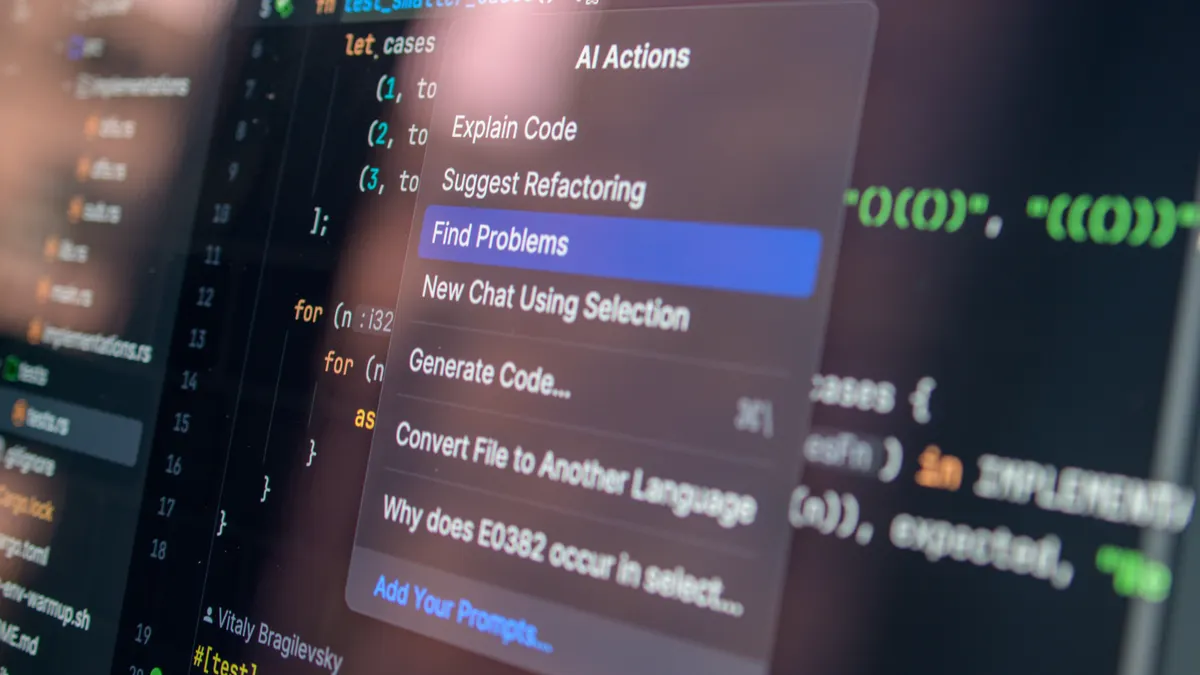
Because this page is based on published plan details, feature pages, and review coverage rather than hands-on testing, we compared five products. We looked for the parts that matter to blog work: long-context writing, editing quality, brand voice controls, export options, collaboration, and whether the free tier is actually enough for a real post workflow. OpenAI, Anthropic, Jasper, Writesonic, and Copy.ai all publish plan or product pages that help readers compare them before they pay.
We treated a tool for rough drafts differently from a tool for a finished publishing pipeline. A planner that can outline 10 posts is not the same thing as a writer that can hold a 2,500-word draft together without losing the thread. Also, content teams hate lock-in only after they have built 80 outlines inside one app. That is why we leaned on blog content strategy and content workflow context instead of judging by features alone. For pricing facts, we also checked the OpenAI pricing page, the Anthropic pricing page, and the Jasper pricing page.
Best overall: ChatGPT
ChatGPT is the best overall starting point for blog content if you want one place to brainstorm, outline, draft, rewrite, and trim a post, unless your team needs strict brand governance built into the product. Its strength is flexibility: it handles short prompts, iterative editing, and messy blog tasks better than most tools that are locked to marketing templates. OpenAI says ChatGPT Plus is billed monthly, and that simple pricing structure makes it easy to test before a team commits.
For readers comparing AI writing tools for blog content, ChatGPT is usually the easiest place to start. Broad, quick, useful. That trio covers a lot.
I would put it first for solo bloggers, freelance writers, and small teams that need one assistant for many jobs. I would not put it first for a regulated brand team that needs locked prompts, approval flows, and rigid brand guardrails around every draft. OpenAI’s product pages make it clear that ChatGPT is a general-purpose tool, not a content management system.
Pros
- It handles broad blog tasks, so one tool can cover outlines, title options, intro rewrites, and section cleanup without forcing a template-first workflow.
- The free tier is enough to explore basic drafting, which means a writer can test the workflow before paying for a plan.
- It supports copy-paste workflows well, so it fits writers who draft in one place and publish in another.
Cons
- The free tier is limited, so heavier blog production pushes you into a paid plan quickly.
- It can drift into generic phrasing on long posts, which means final editorial passes still matter.
- It is not a CMS, so it does not manage editorial calendars, briefs, or approvals on its own.
Pricing reality: At the time of writing, the free tier allows light everyday use, while paid plans are billed monthly or yearly and are aimed at people who need more capacity, better models, or higher limits. OpenAI lists ChatGPT Plus at $20 per month, and a team of five would therefore start at about $100 per month before tax. That makes the seat count matter quickly because five subscriptions multiply into a real monthly line item before the content output scales with it.
The lock-in question: You can export your chat history in account settings, but what breaks if you leave is the working context you built inside prompts, custom instructions, and saved threads. The archive may come out; the workflow does not. If migration decisions affect published medical, legal, or financial content, consult a qualified professional and verify the export process against OpenAI’s help documentation and your organization’s compliance rules.
Start the free trial.
Buy this if you write blog posts across different topics and want the broadest drafting tool with the least setup. Skip it if your team needs approval workflow, shared brand rules, or a content calendar inside the same product.
Best for long-form editing: Claude

Claude is often the best choice for long-form blog editing and synthesis unless you need built-in marketing campaign features more than clean prose. Its advantage is practical: it is often the better pick when a draft is already long and the real job is restructuring, summarizing, or tightening without making the voice sound stitched together. Anthropic says Claude’s paid plans are billed monthly, and that matters if you want a predictable monthly cost.
I would choose Claude for editors, analysts, and subject-matter writers who work from long notes, transcripts, or research dumps. I would skip it if I wanted a tool mainly for campaign templates, ad copy variants, or a built-in content ops workflow. Claude’s context handling makes it useful for longer source files, but that does not replace editorial judgment.
Pros
- It handles long documents well, so it is useful when a blog post starts from interview notes, source material, or a rough brief.
- It is strong at rewriting for clarity, which means it can cut repetition and flatten clumsy transitions in a draft.
- The tool is good for synthesis, so it can help turn scattered points into a cleaner post structure.
Cons
- It is not as obviously marketing-template driven as some competitors, so teams wanting canned blog formulas may find it less guided.
- The free tier is limited, which means serious blog throughput will usually land on a paid plan.
- It still needs editorial checking, because a clean paragraph can still contain a weak claim or a missed nuance.
Pricing reality: At the time of writing, Claude offers a limited free tier, with paid plans billed monthly or yearly for higher usage and broader access. Anthropic lists Claude Pro at $20 per month, so a team of five starts at about $100 per month. On a five-person team, the cost scales linearly, so it makes sense only if the team regularly works on long drafts or source-heavy pieces that justify the extra capacity.
The lock-in question: You can copy out your work, and account data export is the main off-ramp, but what you lose is the thread of long conversations and the exact revision path inside the app. That matters for posts that go through multiple rounds of editing.
Buy this if your blog work starts with long notes, research material, or messy drafts that need order. Skip it if your main need is campaign templates or shared marketing workflows.
Best for brand teams: Jasper
Jasper is the best choice for brand-managed blog production unless your team is small enough that a general-purpose chatbot already covers the work. The reason is simple: it is built around marketing workflows, brand voice controls, and repeatable content operations rather than one-off drafting. Jasper says its plans are billed monthly or yearly, which gives teams a simple cost structure to model.
I would point larger marketing teams to Jasper when multiple writers need to stay close to the same tone and process. I would not point a solo blogger to it if the main need is quick drafting, because the overhead can be more tool than writer. Jasper’s brand features are most useful when several people publish under one voice.
Pros
- It is aimed at marketing teams, so it fits people who need recurring blog production rather than occasional writing help.
- Brand controls help reduce tonal drift, which matters when several people touch the same content pipeline.
- It usually makes more sense for a shared workflow than a pure chat app because the use case is organized around content operations.
Cons
- It is more specialized, so a solo writer may pay for structure they do not use.
- The setup overhead can be heavier than a plain chatbot, which means it is less attractive for one-person publishing.
- The value drops fast if the team does not actually enforce brand rules inside the tool.
Pricing reality: At the time of writing, Jasper’s plans are billed monthly or yearly, and the entry tier is aimed at individuals or small teams; higher tiers are there for brand controls and collaboration. Jasper lists Creator at $49 per month when billed monthly, so five seats would begin around $245 per month before higher-tier features. For five seats, the bill can become meaningful fast, so Jasper makes sense only if several people will use the system every week. See also our Jasper review and content workflow guide.
The lock-in question: Export is possible in the practical sense that blog copy can be moved out, but the real lock-in is the brand setup, reusable workflows, and team habits created inside the platform. Leaving means rebuilding those rules somewhere else.
Buy this if you need a controlled brand environment for a team that publishes on schedule. Skip it if you mostly need drafting speed and low-friction editing.
Best for SEO blog workflows: Writesonic
Writesonic is the best pick for SEO-oriented blog production unless you want a general writing assistant with fewer workflow opinions. It suits teams that think in keywords, search intent, and content briefs because the product leans toward marketing and blog assembly rather than open-ended drafting. For search-led publishing, that can save time on each post.
I would choose it for marketers who want an SEO-friendly writing pipeline and a more guided path from outline to post. I would skip it if the main pain point is polishing voice, because that is where more editorially flexible tools can feel better. Writesonic is most useful when speed and structure matter more than a highly individual voice.
Pros
- It is built around blog and SEO workflows, which means it can fit a keyword-first content process better than a blank chat window.
- It helps with repetitive content creation, so a team can use it for briefs, outlines, and post drafts without starting from scratch every time.
- The free tier gives a way to inspect the workflow before paying, which is useful when the team is comparing content tools.
Cons
- SEO tooling can encourage formulaic copy, so writers still need to add original judgment and examples.
- The free tier is limited, which means a serious blog calendar will usually move to paid access.
- It is less attractive if the job is pure editing, because the product direction is more production than revision.
Pricing reality: At the time of writing, Writesonic has a limited free tier and paid plans billed monthly or yearly, with higher tiers unlocking more volume and workflow features. Writesonic’s pricing page lists paid tiers that vary by usage, so a five-person team should compare the plan limits before it commits. For a five-person team, the seat count makes the upgrade decision less about price alone and more about whether everyone will use the same SEO workflow often enough to justify it.
The lock-in question: You can move the text out, but the workflow value lives in saved briefs, templates, and any structured SEO process the team builds inside the platform. If you leave, you lose the system that made the tool feel efficient.
Buy this if your post program is tied to search intent, briefs, and repeatable SEO production. Skip it if you want a freer editor for voice-led writing.
Best for workflow automation: Copy.ai
Copy.ai is the best option for teams that want repeatable content workflows more than a single writing surface, unless the work is mostly long-form editorial polish. Its strength is process: it is better for teams that want a content engine than for writers who want a blank page and a fast first draft.
I would point operations-minded content teams to Copy.ai when they need consistent pipelines and shared steps. I would not point a long-form opinion writer to it if the main need is nuanced rewriting.
Pros
- It is oriented toward workflows, so it fits teams that want repeatable blog production steps.
- It is useful when several people touch the same content process, which means fewer handoff gaps.
- The free tier gives a way to inspect the model before a team commits to it.
Cons
- Workflow-heavy tools can feel rigid, which means they are less pleasant for exploratory writing.
- It is not the best fit for a single writer who mainly wants better prose.
- The value falls if the team does not standardize its process, because the product is built around consistency.
Pricing reality: At the time of writing, Copy.ai offers a limited free tier and paid plans billed monthly or yearly, with team features living higher up the ladder. On a five-seat team, the price scales into a real operating cost, so it makes sense only if the workflows are used often enough to replace manual coordination. For process-heavy teams, that can be the difference between saved hours and extra admin.
The lock-in question: Text can be exported, but the deeper lock-in is the workflow setup, prompts, and process logic inside the platform. If you leave, you are not just moving drafts; you are rebuilding the assembly line.
Buy this if your post process is a repeatable operation with handoffs and templates. Skip it if you mainly need one strong editor for prose quality.
What would make me choose differently
ChatGPT stops being my first pick when the team needs brand control more than flexibility, because the freedom that makes it useful also makes it easy to drift. Claude stops being my first pick when the work is template-driven marketing rather than long editing, because its best strength is still text handling, not campaign ops. Both tools remain strong, but each has a limit.
Jasper is the wrong answer when there is no real team process to manage. Writesonic is the wrong answer when SEO is not the center of the blog program. Copy.ai is the wrong answer when the writer wants an open-ended editor instead of a workflow system. The best AI writing tools for blog content are the ones that fit the workflow, not the hype.
If the post is only occasional, I would avoid paying for any of them until the free tier becomes a bottleneck. If the post is a core channel, I would choose based on the bottleneck: drafting speed, long-document editing, brand control, SEO workflow, or process automation. That is the part most roundup pages miss, and it is the part that saves money later. For a second opinion, compare these tools with our content workflow and blog content strategy pages.
Migration note
Moving in from Google Docs is easy, but moving in from an established content stack is harder because prompts, templates, and approval habits do not import themselves. Chat-based tools are the fastest on-ramp because they accept pasted text immediately, while workflow-first products usually take longer to set up. Google’s editor remains a common source of drafts, but these AI tools are often where the first rewrite happens.
Moving out is where the pain shows up. If the tool stores only text, export is usually straightforward; if it stores briefs, brand rules, or content pipelines, the text leaves faster than the system does. That is why the real migration cost is often measured in process, not in file formats.
For a five-person team, the first migration mistake is adopting a tool for drafting and then expecting it to solve editorial operations too. The second mistake is building a workflow so deeply inside one app that switching later means redoing months of setup. In practice, that can turn a $20 monthly seat into a much larger switching cost.
FAQ
Is there a free AI writing tool good enough for blog posts?
Yes, but only for light drafting and experimentation. Free tiers are usually enough for outlines, short rewrites, or testing the interface, but they tend to hit usage limits before they can support a full post workflow. OpenAI, Anthropic, and the other vendors above all keep the free experience intentionally limited.
Drafted with AI; not yet reviewed by a person.






Leave a comment